 evmetrics

Deep diagnostics for your EV
Live battery telemetry, charging graphs and professional reports — for Jaguar, Land Rover and popular electric vehicles.
iPhone & iPad
For EV owners & enthusiastsConnect wirelessly via a ~£20 Bluetooth OBD dongle. Check your battery's state of health, watch a live charging curve, decode a warning light — all from your pocket.
- Battery health, cell voltages and a live charging curve
- Journeys with route maps, and Track Day lap timing
- Pre-purchase audit with an odometer-rollback check
- Climate, tyre pressure and drivetrain data
- Shareable diagnostic reports
Mac & Wired USB
For workshops, specialists & fleetsWired ELM327 USB adapters give rock-solid throughput for multi-hour sessions. Full vehicle scans, Mode $06 on-board monitor tests and printable reports that match what technicians expect.
- Wired USB: no dropped connections mid-scan
- Full vehicle scan across every mapped ECU
- Readiness monitors and Mode $06 test results
- Workshop checklists and Fleet cost tracking
- Printable reports for customers
Everything your vehicle is hiding
Standard OBD2 apps read emission PIDs. EvmetricsOBD uses manufacturer UDS Service 22 commands to access the data the dealer sees.
HV Battery Deep Scan
Pack voltage, current, state of charge, state of health, individual cell voltages and battery temperatures — from the actual BMS, not OBD gateway proxies.
Charging Graph
Real-time power vs SoC curve plotted as you charge. See exactly where your battery's taper begins and compare sessions over time.
Diagnostic Reports
Complete HTML reports covering all OBD modes ($01–$09): freeze frames, O2 sensors, IUPR counters, emissions readiness and EV battery sections, with optional NHTSA vehicle info. Each code shows its real status (pending, permanent or historical), its guidance and its history, including manufacturer HV-battery codes from the BECM. The report adds the Integrity Audit, consistency checks, "may be stuck" markers on readings and a per-cylinder misfire summary, and a scan that failed says so instead of reporting no codes.
Battery Health Report New
A one-page PDF of an EV's battery from the Health tab: state of health with its history, measured against nominal capacity, battery temperature, cell voltage min, max and spread, pack voltage and current, isolation resistance against its expected minimum, and a front-to-rear strip of module temperature sensors marking any that reported a fault in the last 30 days. Every figure is the car's own BMS reading. Useful when buying or selling, but it is a report, not a certificate.
Full Vehicle Scanner
Sweep every mapped ECU in the vehicle — BECM, HVAC, TPMS, TCM, E-Diff and more — and see which modules respond and which are silent. Interrupted scans save their progress and resume where they left off. Like every tool that sweeps the bus, it runs only while the car is parked and stops if it starts moving.
Live Sensor Dashboard
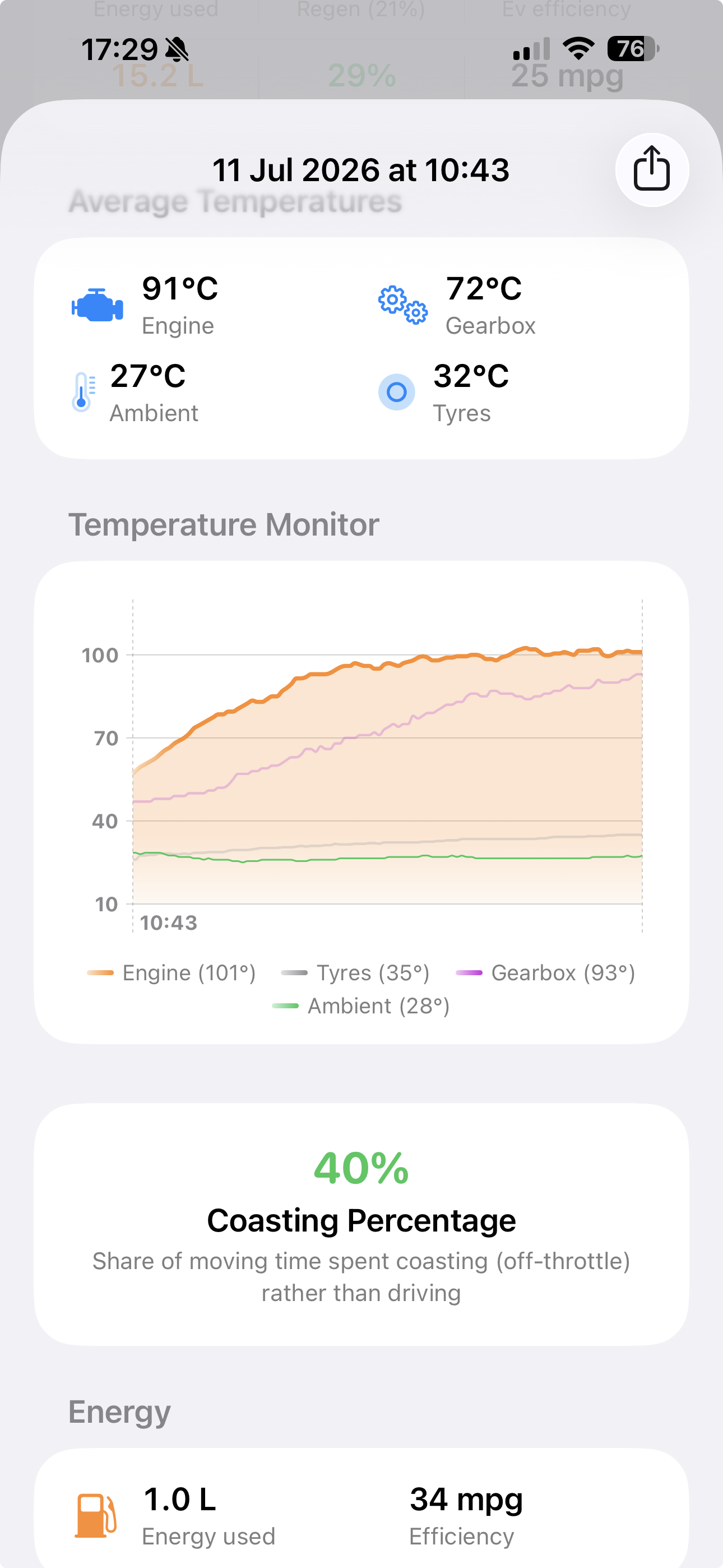
Customisable live view of all visible sensors: temperatures, pressures, voltages, speeds. Sensor categories are specific to each vehicle template.
CAN Bus Monitor
Track TX/RX counters per CAN bus in real time. See which protocol is active, how many frames are positive, and switch buses without disconnecting.
Emissions Readiness & Mode $06 New
Every readiness monitor is read from the engine individually, including the one that catches people out: supported but not yet complete, which fails an emissions test on a car with no faults at all. This drive cycle sits next to the figures since codes were cleared, so you can see how much further to drive, and the warning light is read as a light. Mode $06 test results come in real units, and a stored freeze frame is captured into the report.
VIN Decode
The VIN is read from the car and embedded in every diagnostic report. Turn on the optional NHTSA lookup in Settings → Privacy to add make, model, year and trim; it is off by default, so the VIN never leaves your device unless you ask.
iCloud Cross-Device Sync
Seamlessly sync your Garage vehicle records, Workshop templates, active jobs, and Fleet costs across iPhone, iPad, and Mac.
Known Conditions Database
Contextual alerts suppress false positives by cross-referencing OEM campaigns. Stop panicking over a 72% SoC cap if it's a known manufacturer recall.
Reverse Engineering Tools
Developer mode with PID scanner, raw AT command console and CAN broadcast capture. Contribute new PIDs to the community template library. These tools only run while the car is parked.
Journeys New
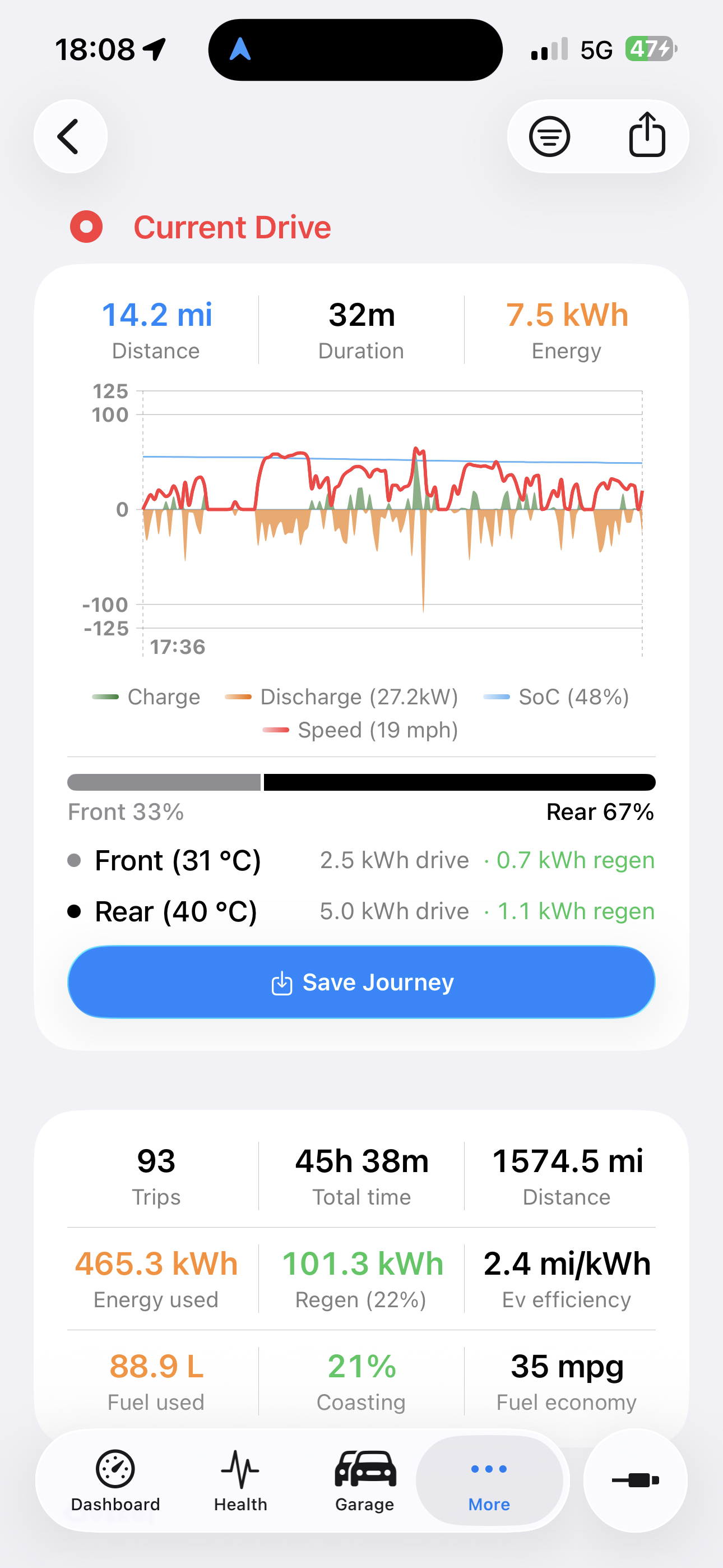
Every drive is archived automatically — the live power curve, energy used, regen recovered, distance and duration, with the route on a map. A paused drive stays in the header until you resolve it, and you can Resume a recent journey to keep recording onto it as one continuous trip, even while another drive is recording (you confirm first, and the drive in progress is replaced). Synced via iCloud and exportable as a .evmjourney file.
Track Day New
GPS lap timing with a start/finish line you drop on a map, set where you stand, or let the app find on its own, plus sectors and a live delta to your best lap. A dark full-screen dashboard shows RPM or power, throttle and brake, temperatures and G-force, with a friction circle that can show where your G has been all session. Any car works through fast batched OBD2 requests, and EVs add pack and motor data. Share a lap card, PDF, CSV, GPX or .evmtrack file; the Track Dial widget and Live Activity keep your lap times on show.
Workshop New
Reusable checklist templates — Full Service, MOT Check, a cost-ordered Engine Diagnostic — applied per vehicle with red / amber / green on every item. Build your own and share as .evmwt files.
Fleet New
Track every vehicle's costs — expenses plus scheduled, recurring events — rolled into totals spent, what's due in the next 12 months and a projected annual run-rate. Exportable as .evmfleet.
Feature Advisor New
A read-only catalogue of dealer-activatable features your JLR or Porsche could receive — CarPlay, Configurable Dynamics, adaptive cruise, ambient lighting, and on a Porsche Sport Plus without Sport Chrono, InnoDrive, cluster personalisation and full-region PCM maps — with the car probed for what's active, present or missing. The app never codes anything; it refers you to a specialist.
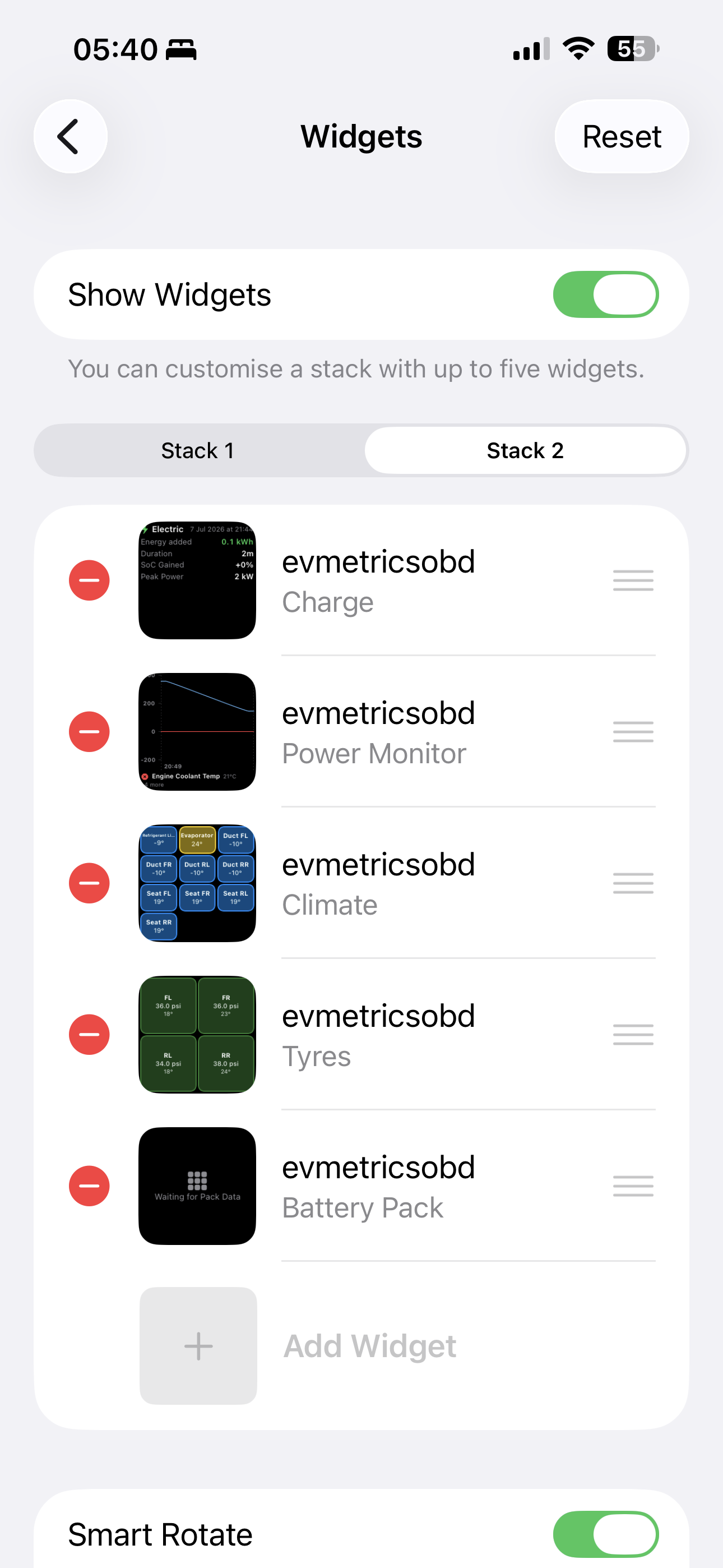
Widgets, Siri, Shortcuts & CarPlay New
Nine Home Screen and five Lock Screen widgets, two Live Activities in the Dynamic Island, a Connect to Car control for Control Center, the Lock Screen and the Action button, nine Siri shortcuts, twenty Shortcuts actions, Spotlight search and a CarPlay Power Monitor. Ask “what’s my battery level” with the phone locked, or connect the moment CarPlay starts. See every integration →
Pack Temperature While Charging New
The live charge shows the hottest battery module, banded green, amber or red, with the pack average, the peak so far and whether the whole pack is warm or one module is running away from the rest. If it goes red you are alerted, even with the phone locked, with advice to stop and let it cool; once per excursion, so a reading sitting on the limit can’t nag. Needs a car that reports its module temperatures.
CO₂ & Period Totals New
Journeys, charges and the Fleet carry a CO₂ figure: what a petrol or diesel trip burned at the tailpipe, and the grid carbon behind an EV’s charging at an intensity you set, so the two never double count and add up to one honest fleet total. The Journeys and Charging lists can collapse into monthly or yearly totals and drill back in.
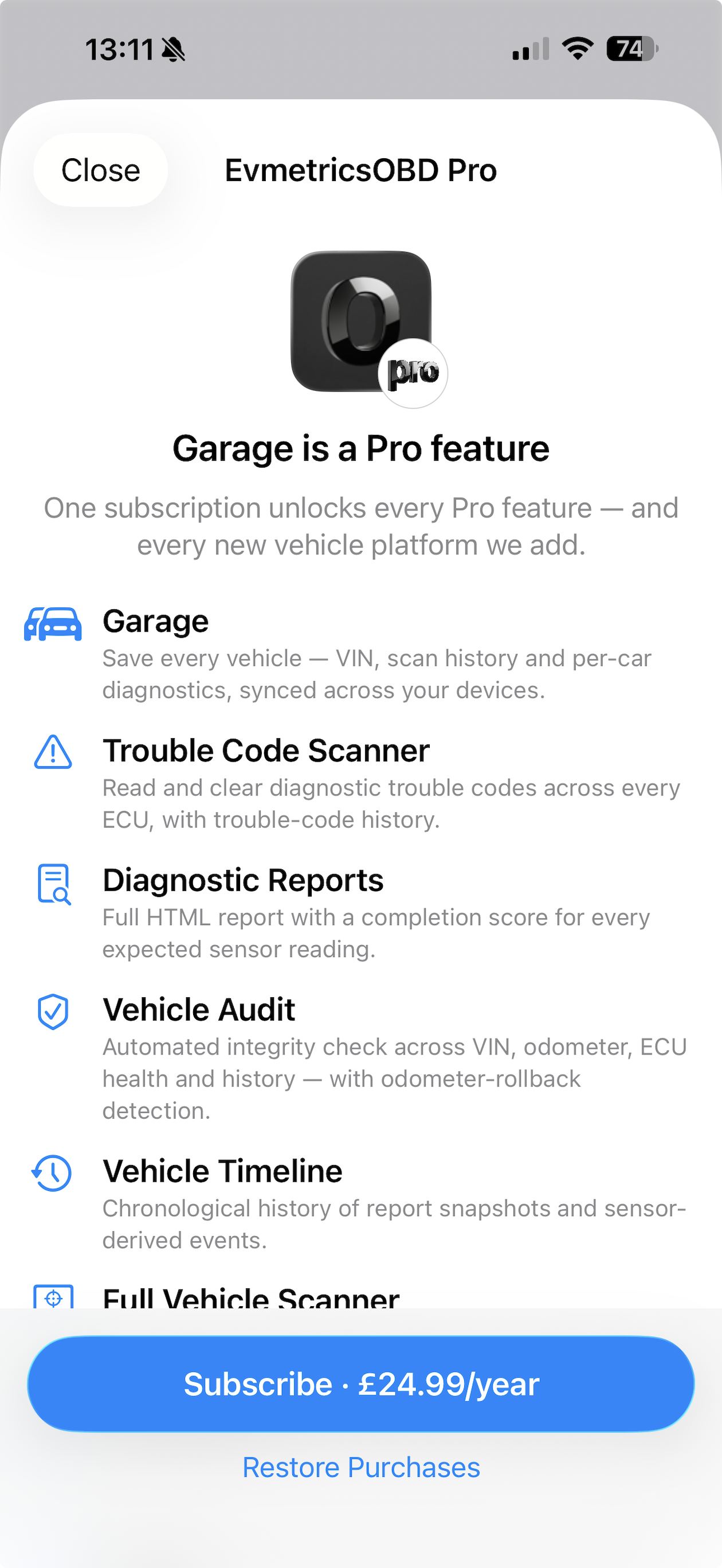
See it in action
From the live drive header to the widget stack — captured on an iPhone.
Three ways to connect
Any ELM327-compatible adapter works. No proprietary hardware required.
Bluetooth LE
Default. Pairs instantly with any ELM327 BLE dongle. Works on iPhone, iPad and Mac.
USB Serial
Wired FTDI/CP210x/CH340 adapters. Rock-solid throughput for sustained workshop sessions. Available on macOS only.
Wi-Fi
TCP socket connection to Wi-Fi ELM327 dongles. Useful where BLE range is insufficient. Auto-reconnects and can auto-join the adapter's network on iOS.
23 vehicle platforms
JLR I-Pace and XF available now, plus a Generic OBD-II template for any car. Hyundai E-GMP, VW MEB/MQB, Ford, the petrol Mustang, American Jeep, Dodge and Ram, pre-CAN Porsche 911, Boxster and Cayman, Toyota, Mazda, Mercedes and more carry unvalidated templates while we confirm them on real cars.
How people use it
From checking battery health before buying a used EV to full workshop diagnostic sessions.
See use cases →